Multi Step Functionality
The form is built as a multi-step form, which means the user moves through the form one section at a time instead of seeing every field at once.
Each step of the form needs the attribute data-multi-step.
The order of these elements in Webflow determines the order of the form. The first data-multi-step is Step 1, the second is Step 2, the third is Step 3, and so on.
Only the currently active step is visible. All other steps are automatically hidden by the script.
To move the user forward, add data-multi-step-next to the button that should continue to the next step.
When the button is clicked, the form first checks whether all required fields inside the current step have been completed correctly. If everything is valid, the next step is shown.
Radio buttons and checkboxes can also use data-multi-step-next directly. In that case, selecting the option automatically continues to the next step without requiring a separate Next button.
This is useful for simple Yes/No questions or steps where the user only needs to select one option.
The Next button is also automatically locked until all required fields inside the step are completed.
By default, normal inputs, textareas, select fields, radio buttons and checkboxes inside a step are treated as required by the multi-step system.
If a field should be optional, add data-multi-optional directly to that field.
For example, if a step contains a required Name field and an optional Company field, adding data-multi-optional to the Company field means the user can continue even if Company is left empty.
To add a new step, simply duplicate an existing data-multi-step element in Webflow and place it in the desired position.
Make sure the button that should continue the form still has data-multi-step-next.
The script automatically recognizes the new step based on its position, so no JavaScript changes are required.
Reviews / Features
The form can display supporting content alongside each step using data-form-review and data-form-feature.
These elements automatically follow the current form step.
The first data-form-review belongs to the first data-multi-step.
The second review belongs to the second step.
The third review belongs to the third step, and so on.
The exact same logic applies to data-form-feature.
For example, when the user is on Step 1, only the first review and first feature are visible.
When the user moves to Step 2, the first review and feature are hidden and the second review and feature are shown automatically.
Because of this, the order of these elements is important.
If you add a new form step between two existing steps, you should also add the corresponding review and feature in the same position if that step requires them.
For example, if the form contains five data-multi-step elements, it is normally best to also have five data-form-review elements and five data-form-feature elements.
There is no need to manually number the attributes. The script connects everything based on the order in which the elements appear on the page.
Form Fail Functionality
Some questions may immediately determine that the user should not continue through the form.
For these situations, the form supports a separate failure state.
The failure section uses the attribute data-multi-step-fail.
This element is hidden automatically when the form loads.
To send the user to the failure state, add data-multi-step-next-fail to the relevant button.
When a button with data-multi-step-next-fail is clicked, all normal form steps are hidden and the data-multi-step-fail section is shown.
The currently visible review and feature are also hidden.
For example, a qualification question could have:
Yes → data-multi-step-next
No → data-multi-step-next-fail
Selecting Yes continues the normal form.
Selecting No immediately shows the failure message instead.
Region Check
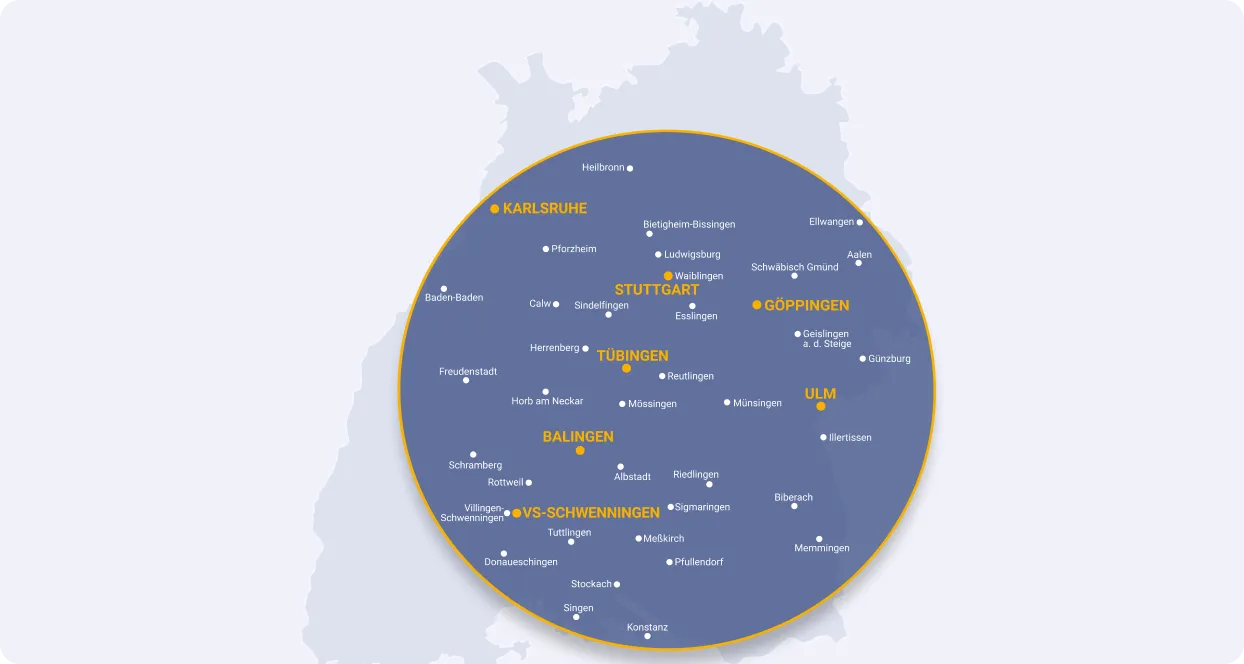
The form also includes a CMS-powered region check based on ZIP code prefixes.
The list of accepted ZIP code prefixes comes directly from Webflow CMS.
The Collection List Wrapper that contains these ZIP codes needs the attribute data-multi-region-codes.
Inside this Collection List, each CMS item should output its ZIP code prefix inside a normal paragraph element.
For example, the CMS could contain:
70
71
72
73
The script automatically reads all paragraph elements inside data-multi-region-codes and stores these values as the allowed ZIP code prefixes.
This means the client can add, remove or update supported regions directly inside Webflow CMS without changing the JavaScript.
The ZIP code input itself needs the attribute data-multi-region-input.
This input should be placed inside a normal data-multi-step.
The button inside that step still only needs the standard data-multi-step-next attribute. No additional region-specific attribute is required on the button.
When the user clicks Next, the script automatically notices that the current step contains a data-multi-region-input and performs the region check before continuing.
For example, if the CMS contains the prefix:
70
then ZIP codes such as:
70173
70327
70806
will all be accepted because they begin with 70.
The user does not need to enter an exact ZIP code stored in the CMS. The script only compares the beginning of the entered ZIP code with the available prefixes.
If the ZIP code matches one of the allowed prefixes, the form continues normally to the next step.
Region Fail
If the entered ZIP code does not begin with one of the prefixes contained inside data-multi-region-codes, the user is sent to a separate region failure state.
The region failure section needs the attribute data-multi-region-box.
This element is hidden automatically while the normal form is active.
When the ZIP code does not match an available region, all data-multi-step elements are hidden and data-multi-region-box is shown instead.
The current review and feature are also hidden.
This is separate from the normal data-multi-step-fail functionality.
Use data-multi-step-fail for qualification questions where a particular answer means the user cannot continue.
Use data-multi-region-box specifically when the entered ZIP code is outside the currently supported service area.
The supported regions themselves should always be managed through the CMS Collection List connected to data-multi-region-codes.
Quick Attribute Reference
data-multi-step — Defines an individual form step.
data-multi-step-next — Continues to the next form step.
data-multi-optional — Marks an input as optional so it does not prevent the user from continuing.
data-form-review — Attribute added to cards that contain the reviews
data-form-feature — Attribute added to cards that contain the features
data-multi-step-next-fail — Sends the user directly to the general form failure state.
data-multi-step-fail — The content shown when the user fails a qualification step.
data-multi-region-codes — Collection List Wrapper containing the supported ZIP code prefixes from the CMS.
data-multi-region-input — ZIP code input that is checked against the CMS region prefixes.
data-multi-region-box — The message or section shown when the entered ZIP code is outside the supported region.
As long as the form steps, reviews and features remain in the correct order, and the correct attributes are applied, the script handles the rest automatically.